Keep a goal moving
Muse can continue background work while the app is closed and return when there is progress or a decision to make.
A personal AI experience that helps carry a task through.

Muse is Meta’s personal AI experience: you give it a goal and it uses available information, software and connected services to help complete the task. Muse is also the name of the wider family of models and tools. Using the personal product differs from building with a model API—an interface for software to call a model—or setting up Glimmer yourself.
Muse can continue background work while the app is closed and return when there is progress or a decision to make.
Connect selected services and review or edit saved memory as your needs change.
Artifacts are interactive outputs such as an itinerary or dashboard that you can review and use.
Check the activity history and approved permissions, and decide on consequential actions.
Organize the information you provide, flag conflicts, and review any proposed changes.
Provide your trip bookings and notes, and ask for an itinerary with any conflicts flagged.
Muse reads the permitted documents, organizes dates and locations, and identifies gaps or overlaps.
In this scenario, ask it to pause before changing a booking or sending a message. Available connections and permission settings determine what can proceed.
Review the proposed itinerary and unresolved questions against your original bookings.
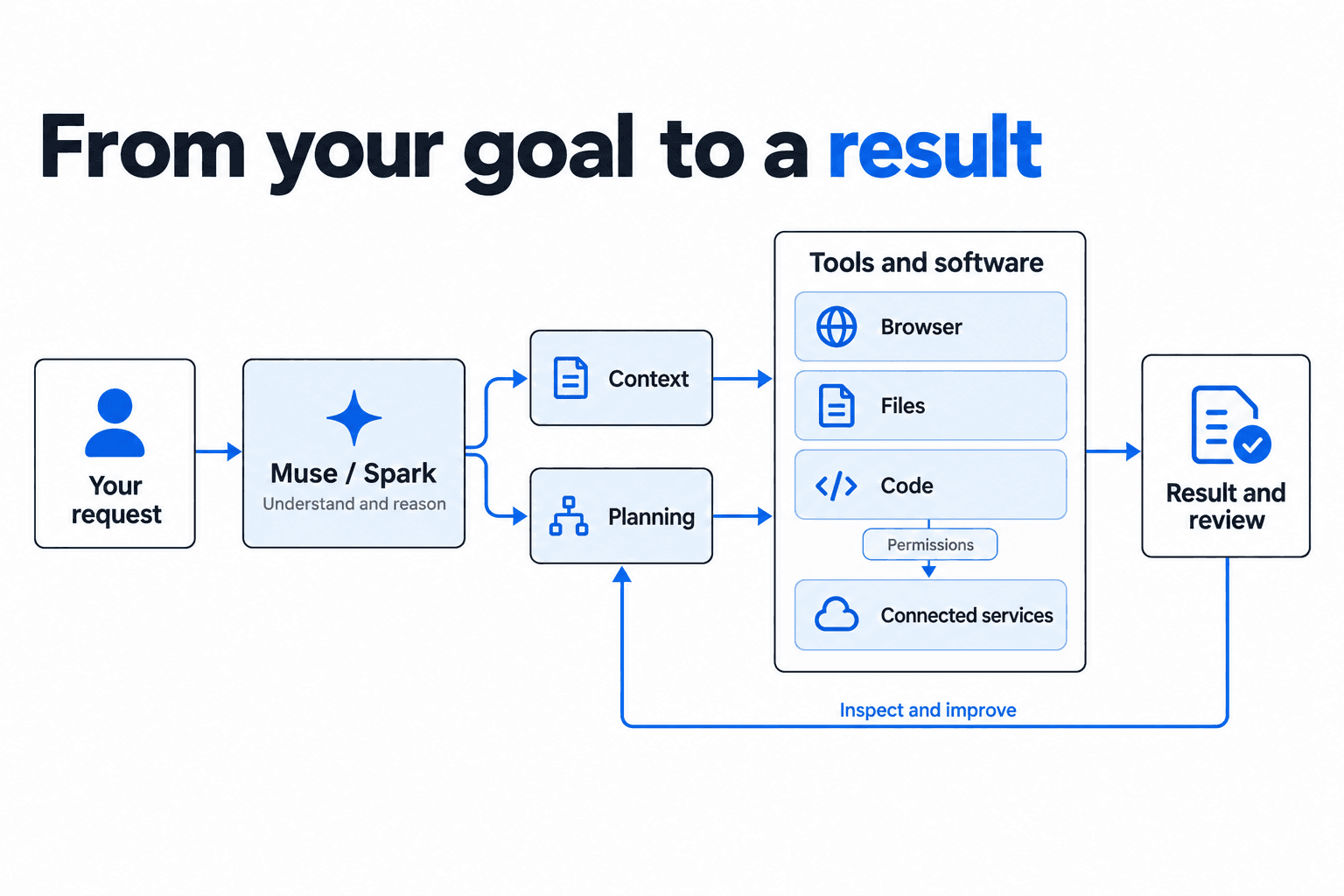
Muse is the connected experience. Models provide intelligence, tools make work possible, and permissions set the boundaries around actions.
This guide does not yet include a dedicated example for this product. Start with a task to see how the workflow could fit your needs.
Explore personal tasksThe model reasons about the task; the surrounding software supplies tools, context, permissions and an execution environment. Available connections and approvals determine which actions can be taken. Goals can continue while the app is closed. You can review activity and edit saved memory; interactive outputs such as itineraries and dashboards are called Artifacts.