
Voice-Controlled Application
Speech recognition connected to an interactive application.
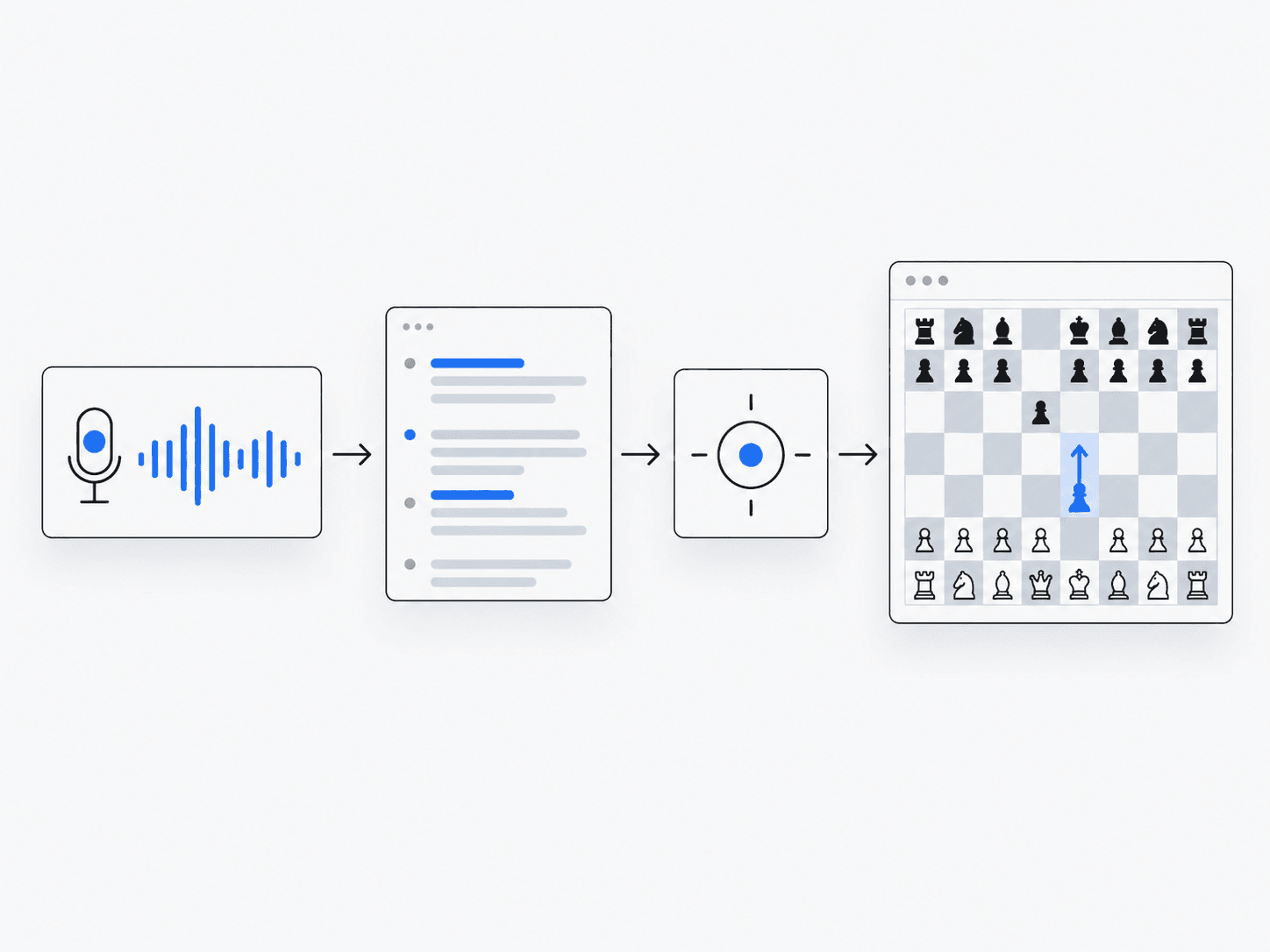
What does it do?
Streams speech, interprets intent and drives application actions such as game moves.
Why it’s useful
Lets people control a chess application with supported spoken commands.
Example in practice
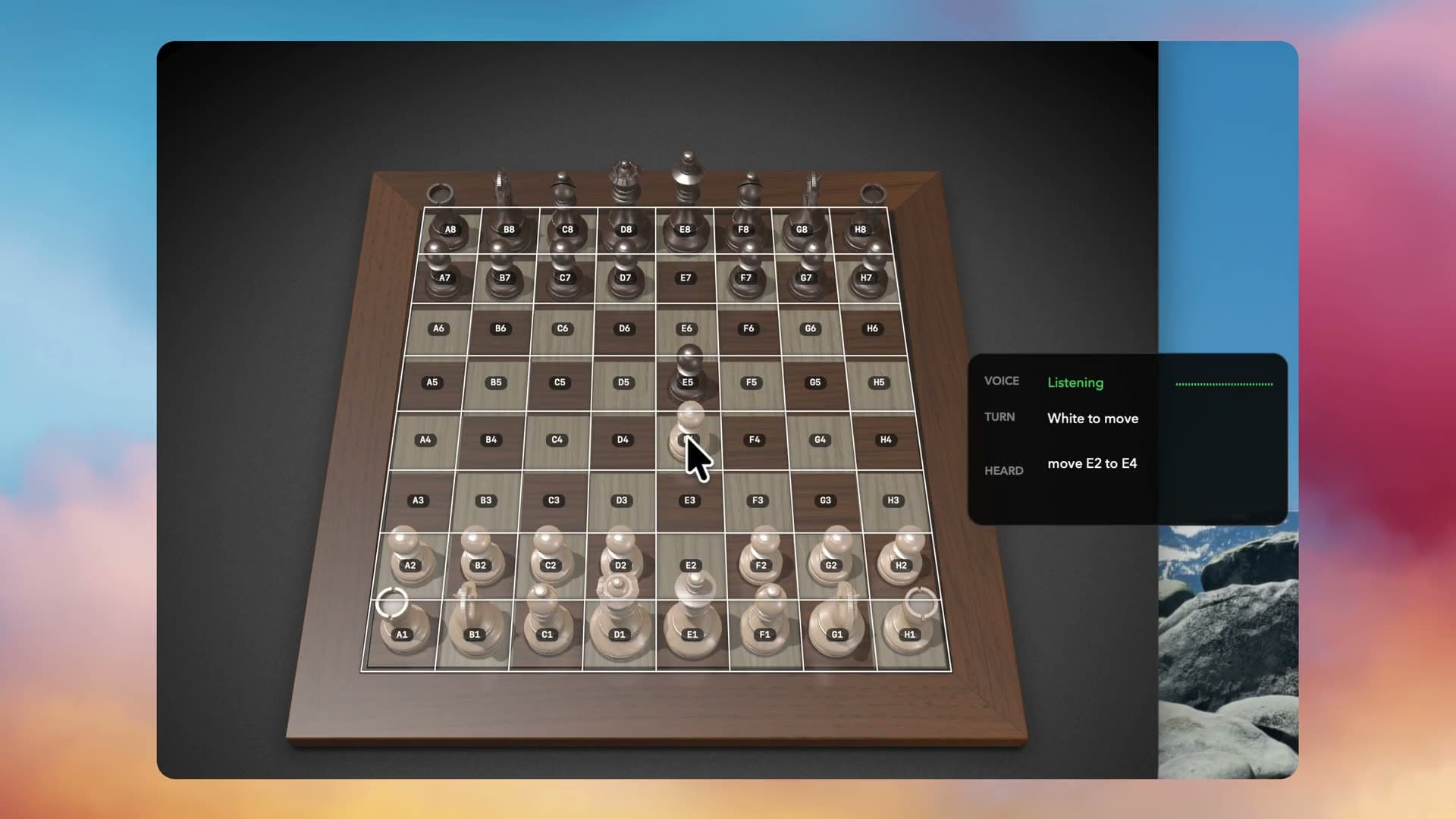
Follow the work
- 1
Speak
Provide a spoken request using the application’s audio input.
- 2
Transcribe
Convert the audio into text; this step does not execute an application command.
- 3
Parse intent
Match the transcript against supported command patterns; reject text that does not match.
- 4
Act
Execute the permitted command through the surrounding application.
- 5
Confirm
Show or report the resulting application state so the user can confirm the intended action occurred.
Architecture and technologies
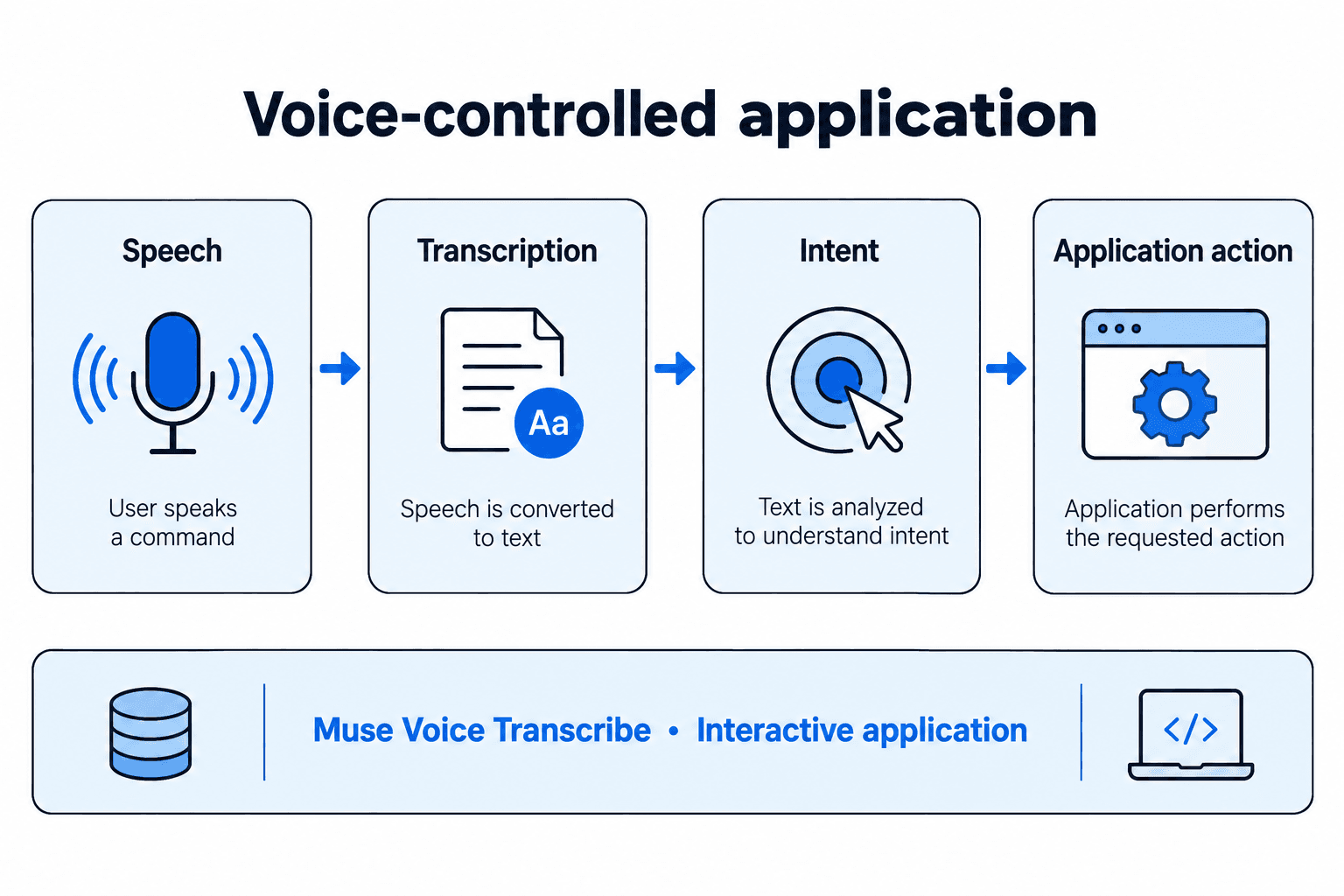
- Works with
- Muse Voice Transcribe, Interactive application
Keep in mind
- Only supported command patterns are accepted; other transcripts are rejected
- Accepted commands act automatically without a separate confirmation prompt